Local chat
Launch it on the second machine — it shows up in the list within seconds. Nothing to configure.
A local chat for your people
Play with your kids, your partner or your friends. Voice, screen and files go straight between two windows — with no server in the middle.
From GitHub Releases · 11 MB
Wanna play something?
sure, let me wrap up and I'm in
Tea
you asked Nadia
Coffee
Nadia offers coffee
Launch it on the second machine — it shows up in the list within seconds. Nothing to configure.
PC to PC directly, any size. By paperclip, drag-and-drop or from the clipboard.
Voice and video between two windows. No servers in between — hence the low latency.
The whole desktop or a single window — separate from the call, so you can do both or either.
Traffic between machines is always closed — you can't turn it off. History on disk can be password-locked if you want.
Eight palettes, each with a light and a dark. Or your own photo as the background.
Offer coffee, ask for dumplings, call someone into a game — on the other side it's a card with buttons, not text. Hover the circles under it — they fan out, you tap one.
And a score for anything
Coffee
you offered Nadia
Dumplings
Nadia wants dumplings
Into a game
you called Nadia to a match
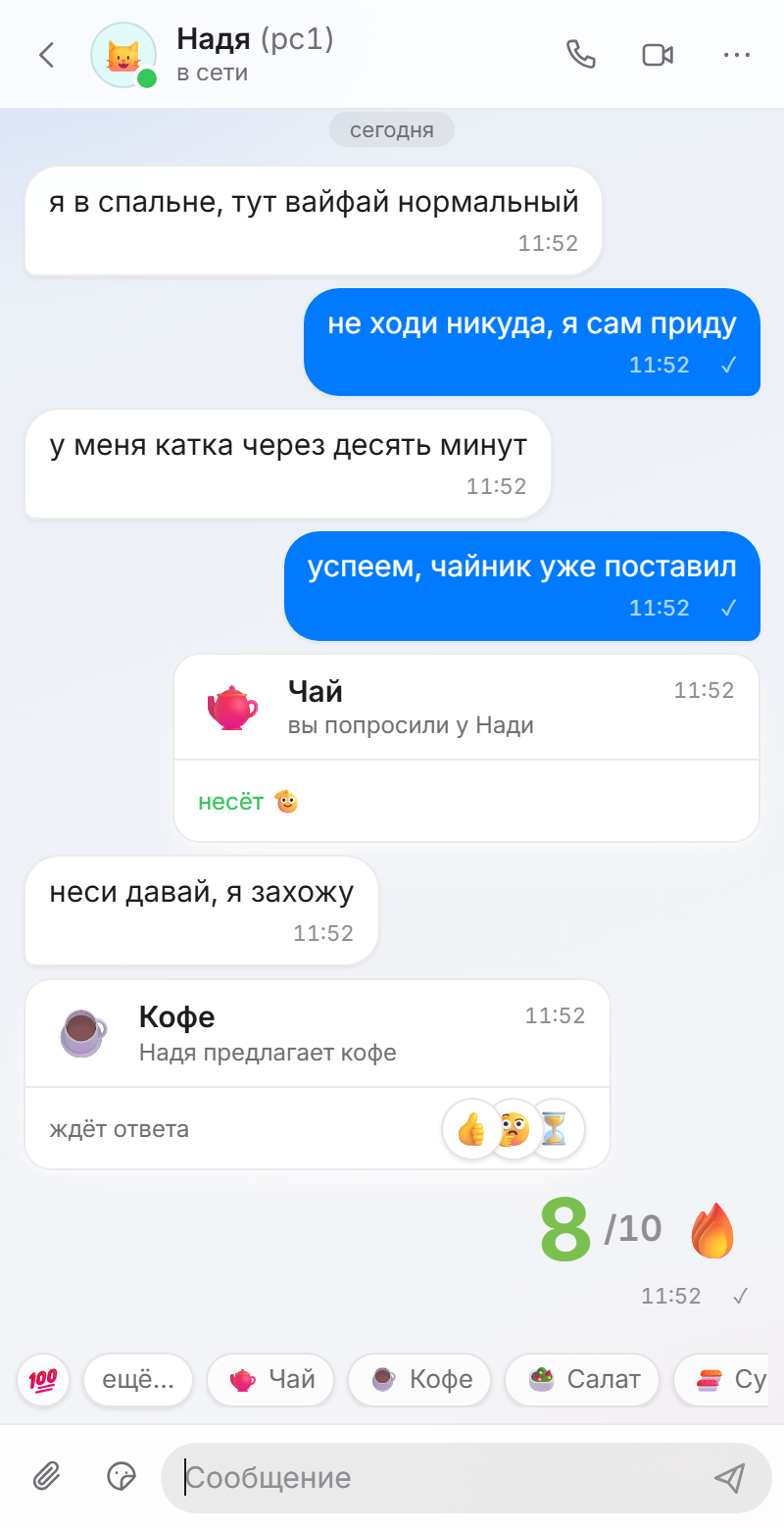
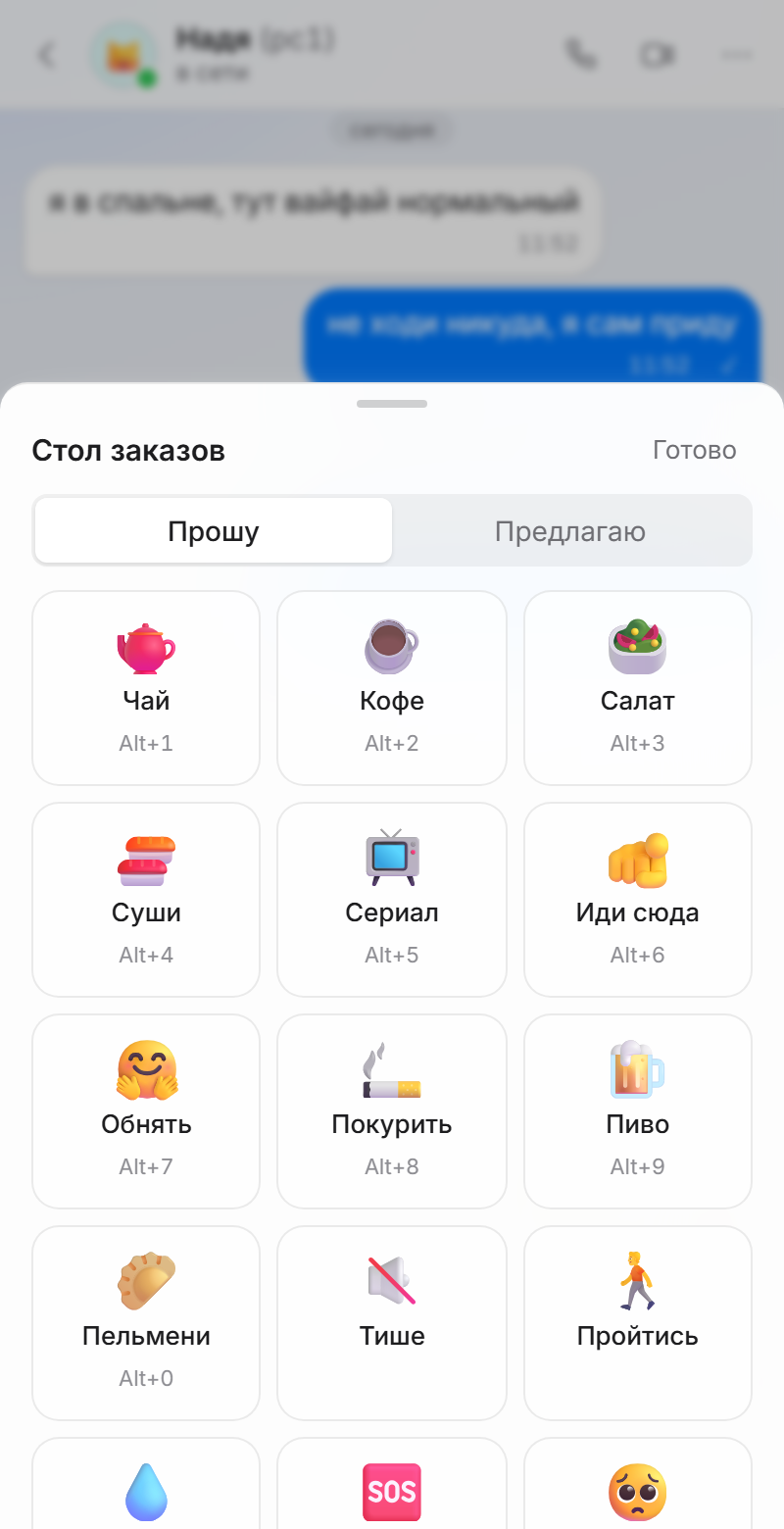
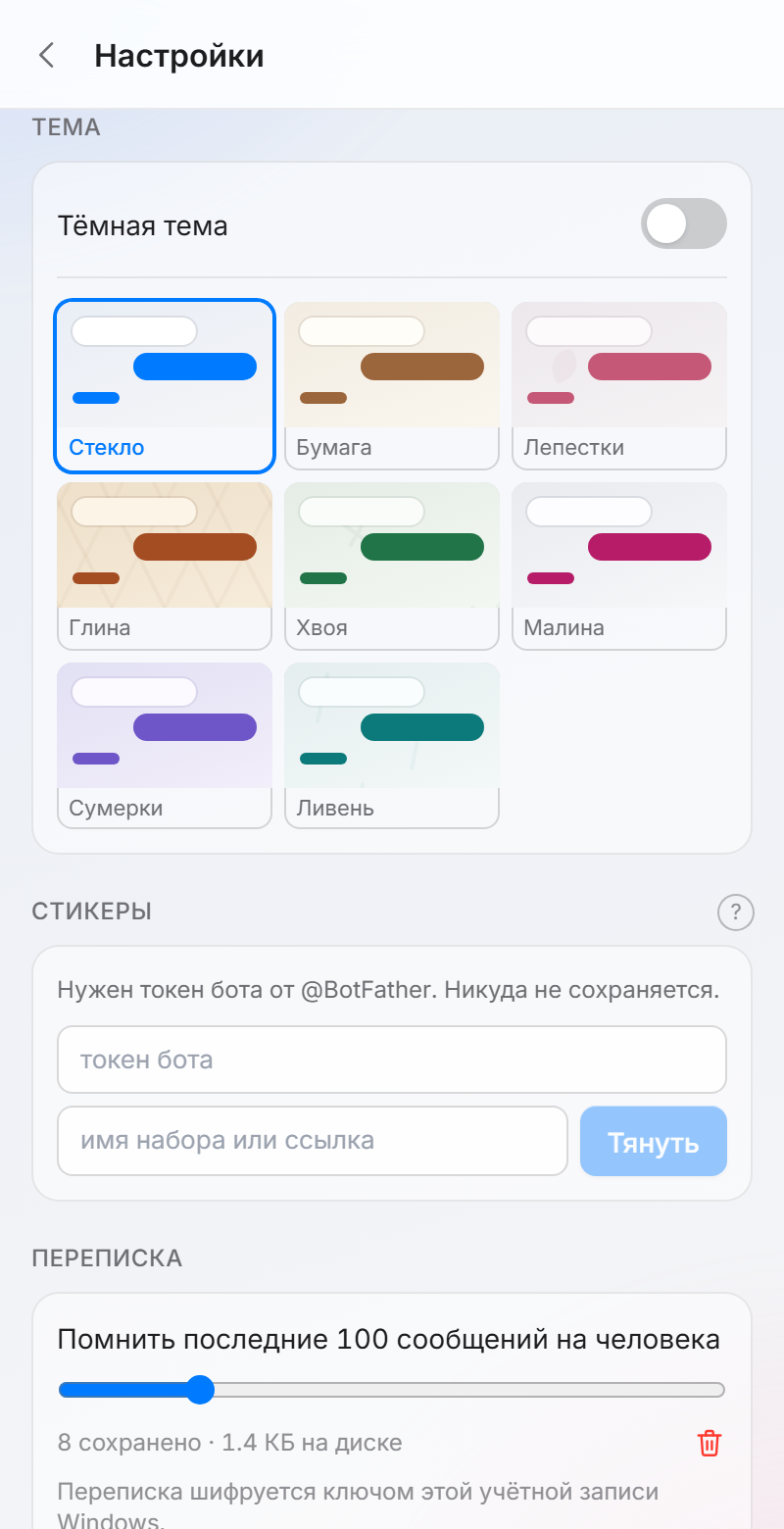
Made for local communication, without launching Discord or anything else.
It adds ways to interact with reactions and wishes — suggest a break, call someone to play, ask for tea or say it's bedtime.
Nearby is a local chat over your LAN for computers in one flat or office. It links machines directly over your local network (a Wi-Fi router or a wired one): no internet, no registration and accounts, no server in the middle. Launch Nearby on two Windows PCs — they find each other on the network within seconds, and you can start typing.
Besides messages, the chat can transfer files over the local network of any size from computer to computer, make a call with voice and video and share your screen — all straight between machines, so it is fast and free of cloud-service lag. Traffic between computers is always encrypted, and the history on disk can be locked with a password.
No. Nearby works over your local network. The internet is not required at all.
Yes, completely free and ad-free. The app collects no data about you.
Launch it on your PCs — they'll find each other on their own.
Report project issues on GitHub. For suggestions and feedback — come to Discord.
Nearby is free software. It works without the internet and collects nothing about you.